
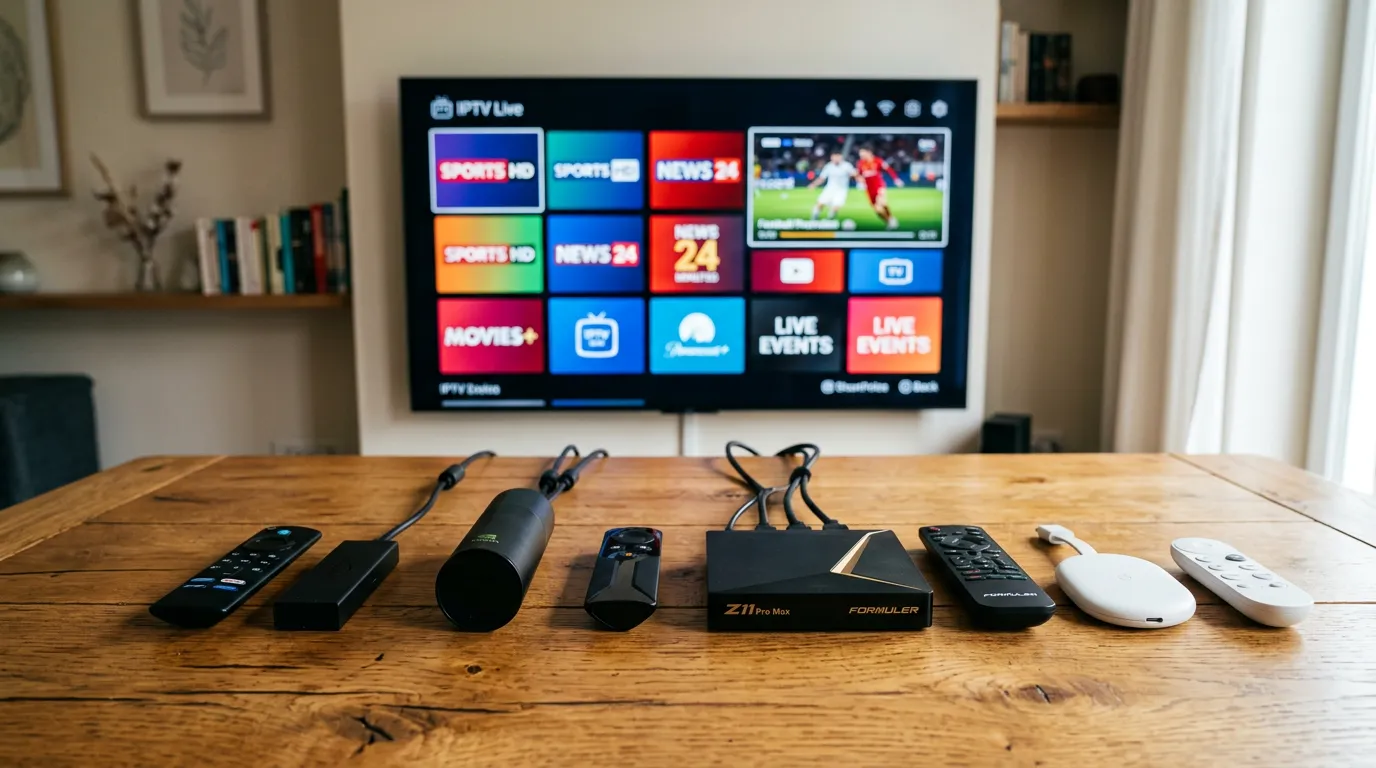
There are dozens of IPTV boxes on the market claiming to be the best. Android boxes, Firesticks, MAG devices, Formuler boxes, cheap Chinese knock-offs — the choice is overwhelming. Most of them look identical on Amazon and most of the reviews are paid for.
So which IPTV box is actually worth your money in the UK in 2026? This guide cuts through the noise and tells you exactly what to buy based on what you actually need.
What Is an IPTV Box?
An IPTV box is any device that connects to your TV and runs IPTV apps. It plugs into your TV’s HDMI port, connects to your broadband, and gives you access to live channels, catch up, and video on demand through an IPTV subscription.
If your smart TV already runs IPTV apps well, you do not need a separate box. But if your TV is older, does not have a good app store, or struggles with HD streams, an IPTV box is the easiest upgrade you can make.
The Best IPTV Boxes for UK Viewers in 2026
Amazon Firestick 4K Max
The most popular IPTV device in the UK by a huge margin. Costs around thirty-five pounds, supports all major IPTV apps including TiviMate and IPTV Smarters Pro, and handles 4K streams without any issues. It is small, quiet, and plugs directly into your TV’s HDMI port.
The Firestick is the safe choice. If you are not sure what to buy, buy this. It works, it is cheap, and every IPTV provider in the UK supports it.
NVIDIA Shield TV Pro
The premium option at around one hundred and fifty pounds. It has the most powerful processor of any streaming device, a gigabit ethernet port, Dolby Atmos and Dolby Vision support, and enough horsepower to run Kodi with multiple add-ons simultaneously. If you want the absolute best IPTV experience on your TV, this is it.
The Shield is overkill for casual viewers but perfect for households that use IPTV as their primary TV source.
Formuler Z11 Pro Max
Built specifically for IPTV. Comes with the MyTVOnline 3 app pre-installed, which is designed from the ground up for IPTV navigation. The remote has dedicated channel up and down buttons — something no Firestick or Shield remote offers. Costs around one hundred pounds.
The Formuler is the box that serious IPTV users in the UK swear by. If you watch IPTV every day and want the most TV-like experience, this is the one.
Chromecast with Google TV
The budget-friendly option at about thirty pounds. Runs Google TV, which is Android TV underneath, so you get full Play Store access. Supports TiviMate, Smarters, and every other IPTV app. Compact and discreet — it hides behind your TV.
Good for bedrooms, second TVs, or anyone who wants IPTV on a budget without sacrificing app compatibility. To see how IPTV compares in cost to traditional TV services, check the IPTV cost UK breakdown.
The Box Matters Less Than You Think
Here is the truth that hardware sellers do not want you to hear: the best IPTV box in the world will not save you from a bad IPTV provider. A thirty-five pound Firestick running a quality IPTV service will outperform a two hundred pound Android box running a cheap, overloaded service every single time.
The device is the screen. The provider is the engine. And the engine is what determines whether you get smooth, buffer-free live sport or a spinning wheel during the second half.
If you have already bought your box and now need a provider to match it, Golden TV is a reliable option that UK viewers keep recommending. Works on Firestick, Shield, Formuler, Chromecast, and every Android box on the market. Message them on WhatsApp to grab a trial and test it on your device.

What to Look for When Buying an IPTV Box
Ethernet port. This is non-negotiable for serious IPTV use. WiFi works but ethernet eliminates buffering. The Firestick 4K Max, Shield, and Formuler all have ethernet — some via included adapters.
Processing power. Cheap Android boxes with unknown processors struggle with HD streams and large channel lists. Stick to known brands — Amazon, NVIDIA, Formuler, Google.
App store access. Make sure the device can install TiviMate, IPTV Smarters, or your preferred IPTV app. Devices with the Google Play Store are the most flexible.
4K support. If your TV is 4K, make sure the box supports it. All four devices listed above do. For more on whether 4K IPTV is worth the upgrade, see the IPTV 4K UK review.
Frequently Asked Questions
Is Firestick the best IPTV box UK?
For most people, yes. It is affordable, widely supported, and runs all major IPTV apps. The Firestick 4K Max is the best value IPTV device in the UK.
Do I need a separate box if I have a smart TV?
Not always. If your smart TV runs IPTV apps smoothly, a separate box is unnecessary. But if your TV is slow, has limited apps, or struggles with HD streams, a Firestick or similar device is a worthwhile upgrade.
Are cheap Android TV boxes any good for IPTV?
Most of them are not. Cheap unbranded boxes from Amazon or eBay often have weak processors, limited storage, and outdated Android versions that cannot run modern IPTV apps properly. Spend a little more on a known brand.
What is the difference between a MAG box and a Firestick?
MAG boxes are dedicated IPTV devices that only run IPTV. Firesticks run all apps including IPTV. For most UK viewers, a Firestick is more versatile. MAG boxes are preferred by users who want a simple, TV-only experience.
Can I use an IPTV box with any provider?
Yes. Any IPTV box that runs standard IPTV apps like TiviMate or Smarters works with any provider that gives you Xtream Codes or M3U credentials. You are not locked to one service. For help choosing a reliable provider, see the reliable IPTV supplier UK guide.
The Verdict
For most UK viewers, the Amazon Firestick 4K Max is the best IPTV box. It is cheap, powerful enough, and works with everything. If you want the absolute best, the NVIDIA Shield TV Pro is unmatched. If you want a pure IPTV experience with a proper remote, the Formuler Z11 Pro Max is purpose-built for it.
Pick your box, pair it with a quality provider, and stop paying Sky prices.
For more device comparisons, see our IPTV apps UK guide and our IPTV 4K UK review.
This website is for informational purposes only. We may recommend third-party services based on user feedback and testing. All trademarks belong to their respective owners.